 WinRAR is the only official software to support creation of RAR files. RAR files have always been known for their excellent compression ratio. I have long given up other compression softwares like WinZip in favor of WinRAR. The main thing that attracts me is its simple and quick interface. The interface resembles to the classic look of the good old WinZip. WinRAR supports compression and decompression of RAR and ZIP files. Apart from this, it also supports decompression of CAB, ARJ, LZH, ACE, 7-ZIP, TAR, GZip, UUE, BZ2, JAR, ISO and Z formats. It also supports certain combinations of compression such as TAR.GZ and TAR.BZ2. Now getting to the size of the software, it one of the very few compression softwares left that can fit into a floppy disk. The size is just under 1MB.
Core features of WinRAR:
- Shell Integration - Like most other standard compression softwares, it too supports Shell Integration. It can be associated with all the supported formats. It can also show options on the context menus of any selected file (or folder) to compress it or compress and e-mail it.
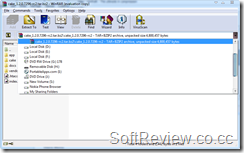 File List - The file list is a very powerful section of the software. Unlike the file list of other software, the file list within WinRAR can be used to browse the contents of Hard Disk, CD/DVD Drive etc., and not just the compressed archives. In fact, the address bar is very similar to the Windows Explorer's address bar and shows a list of major folders and drive. Owing to the various vulnerabilities of Windows Explorer, I often end up using WinRAR to browse files. You has have a shortcut command Ctrl+D to quickly open up the Drive selection menu.
 - Tight Integration with Explorer - The integration does not end with file associations. You can drag a file within an archive to a folder in Explorer, and WinRAR will automatically extract the file to the specific location. Also, if you choose copy from the interface of WinRAR and paste in a Windows Explorer window, WinRAR extracts the file to the location.
- Convert archive to Executable (SFX) - For ZIP and RAR files, it supports a feature to convert a given archive into a self extracting EXE file. This means, after converting to EXE, it can be decompressed even on a system with no decompression softwares available. The SFX module is quiet powerful and you have the ability to create a miniature "Installation" for distributing applications.
- Recovery Records - WinRAR can store self-recovering records within RAR files so that they can be restored once the archive gets corrupted. There are different levels in Recovery Record percentage. The more, the better.
- Password Protection - Like all other compression softwares, it too supports password protection. In other softwares, even if you provide a password, the file list is not encrypted. You can easily open the file and look at the file list. You could also add your own file into the encrypted archive without knowing the password. In WinRAR, you can enable complete encryption, by which, the file list will also be encrypted.

Overall, this is a handy little utility that can help you open a vast range of compressed files. There i only one problem know with WinRAR. That is speed. The compression speed of RAR is very less compared to other formats such as ZIP. Anyway, no harm in having it installed.
Further Reading


 Posts
Posts


No comments:
Post a Comment